
AI-Powered Websites That Win More Customers
How AI on a website gives Philippine SMEs smarter user experiences, automated support, and higher conversion.


AI Engineer · 36+ years in IT · Japanese, based in Manila for 13+ years
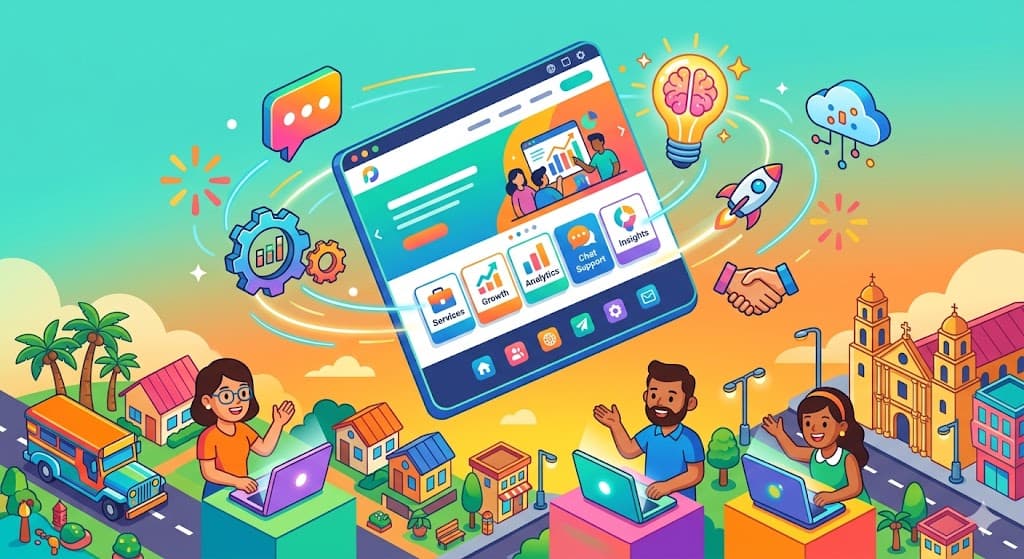
Summary
- Philippine businesses that integrate AI features into their websites can offer personalized experiences, automated customer support, and smarter lead conversion compared to traditional static sites.
- Traditional websites built without AI capabilities struggle to meet rising customer expectations for instant responses and tailored content, putting businesses at a disadvantage.
- Implementing AI on your website does not require a massive budget — practical steps like adding chatbots, recommendation engines, and smart forms can deliver measurable returns even for SMEs.
An AI-powered website answers a buyer's question at 11 p.m. in Makati, suggests a product a first-time visitor in Cebu might like, and routes a qualified lead to your sales inbox before breakfast. A static brochure site does none of that. For Philippine SMEs, the gap between those two experiences now decides whether a visitor buys from you or from the competitor one tab over.
The Growing Pressure on Philippine Businesses to Stand Out Online
| Challenge | Impact on Business |
|---|---|
| Crowded digital marketplace | Harder to capture and retain customer attention |
| Rising customer expectations | Visitors leave sites that feel generic or slow to respond |
| Limited staff for 24/7 support | Missed inquiries during off-hours lead to lost sales |
Filipino consumers now compare three or four suppliers in one mobile session before they message anyone. A BGC-based consulting firm and a Cebu retail shop compete in the same search result, and the winner is often the site that responds in minutes instead of the next morning. Having a website online is no longer the bar — the site itself has to do real work, from greeting the visitor to qualifying the lead.
 Many Philippine SMEs struggle to keep up with rising customer expectations online
A typical pattern plays out daily. A visitor lands on your services page at 11 p.m., clicks through to pricing, has a single question, and finds only a contact form with a "we reply within 24 hours" note. By 9 a.m. they have already booked a quote call with someone else. The Philippine buyer who shops on Shopee, books grab rides, and tracks Lazada deliveries in real time carries the same expectations into B2B inquiries. A quiet website loses money every single evening.
Related: AI Integration for Philippine Business Websites explains this in detail.
Why Static Websites and Manual Processes Fall Short
| Limitation | Consequence |
|---|---|
| One-size-fits-all content | Low engagement and high bounce rates |
| Manual inquiry handling | Slow response times, especially outside business hours |
| No visitor behavior tracking | Missed opportunities to personalize offers |
Most SME sites in the Philippines still run on a brochure model. Every visitor sees the same homepage, the same three service cards, and the same contact form, whether they are a first-time shopper comparing prices or a returning customer ready to buy. The site never notices who is on it, and never adapts.
Manual follow-up makes the delay worse. Inquiries land in one shared Gmail inbox, and someone opens them between other tasks. During an 11.11 sale or a holiday weekend, two days pass before the first reply goes out. For a service business where the first-to-reply often wins the deal, that delay directly converts into lost revenue.
I learned this the hard way in my 2000s SEO and affiliate business in Japan. I was running an ASP platform and video streaming service at the same time, and customer inquiries came only through a basic web form that I checked by hand. During one stretch — when I was also in acquisition talks with Livedoor — client emails sat unread for three full days over a holiday because nobody was watching the inbox. Several of those prospects had already moved on when I opened the messages on Monday. A passive website costs a real business real deals, and that week made it impossible for me to pretend otherwise.
How AI Features Transform a Business Website
| AI Feature | What It Does |
|---|---|
| AI chatbot | Answers customer questions instantly, 24/7, in English or Filipino |
| Recommendation engine | Shows products or services based on visitor behavior |
| Smart lead scoring | Prioritizes inquiries by purchase likelihood |
An AI-powered website stops waiting and starts working. The chat widget greets the visitor, the product feed reshuffles based on what they click, and the contact form asks better questions. The site reacts to the person who is on it right now, not to an average visitor who never exists.
 AI chatbots handle common questions around the clock, so no inquiry goes unanswered
An AI chatbot answers pricing, delivery, and service-area questions at 2 a.m. as accurately as at 2 p.m. For a small retailer, a recommendation engine surfaces "customers also bought" items the way a larger marketplace does, but runs on the SME's own product data. A sari-sari chain with 300 SKUs can now do what only the big platforms used to do.
Smart contact forms go beyond collecting name and email. They ask qualifying questions like budget range, timeline, and city, route the inquiry to the right department, and can even return a rough quote on the spot. The first layer of sales qualification — the part that used to require a junior sales rep reading every email — now runs on the website itself. If you want to see how this plays for a service business, our walk-through on AI chatbot implementation for Philippine businesses covers the setup step by step.
None of this is futuristic. Next.js combined with the OpenAI or Anthropic API, a vector database like Pinecone or a managed RAG service, and a hosted chat widget gets an SME most of the way there at a Metro Manila SME price point. The building blocks are ordinary; the difference is how they are wired together.
Related: AI E-Commerce for Philippine Retailers explains this in detail.
A Practical Roadmap for Adding AI to Your Website
| Step | Action |
|---|---|
| 1. Audit your current site | Identify where visitors drop off or where inquiries go unanswered |
| 2. Choose one AI feature to start | Pick the feature with the highest impact for your business type |
| 3. Build, test, and iterate | Deploy a minimum viable version, gather data, and improve |
The fastest way to waste a budget is to add every AI feature at once. A single, well-chosen feature launched in six weeks beats a five-feature roadmap that never ships. I have seen Philippine projects stall for exactly this reason.
 Starting with a single high-impact AI feature is the most practical path for SMEs
Step 1: Audit your current site. Open Google Analytics and look at two numbers — exit rate on your pricing page and average time to first reply on your inquiry form. If people leave from pricing, your problem is information. If they fill the form and never hear back within the hour, your problem is response time. The fix is different for each case.
Step 2: Pick one feature that matches the problem. If response time is the issue, a chatbot is the cheapest win — I cover the specifics in our guide on AI chatbot support for Philippine SMEs. If product discovery is the issue (common in e-commerce with 500+ SKUs), a recommendation engine pays back faster; for e-commerce specifics, see our piece on smart search and recommendation for Philippine e-commerce.
Step 3: Build a minimum viable version. A basic AI chatbot integrated with an existing WordPress or Next.js site can run for around PHP 30,000 to PHP 80,000 in setup, far below a full PHP 500,000 rebuild. Launch it at about 70% coverage, not 100%. You want real customer questions hitting it before you spend another peso.
Step 4: Measure before and after. Track three numbers for 30 days — average response time on top-5 question types, inquiry count between 6 p.m. and 8 a.m., and conversion rate from inquiry to paying customer. Those are the numbers that tell you whether to expand or to fix what you have first.
Across Next.js projects I have handled in the higher-budget AI and web development range, one pattern holds: the clients who got the strongest results started with one specific, measured problem. The clients who arrived with a wish list of twelve features almost always went over budget and shipped something weaker than the focused teams.
Related: AI-Driven Web Design for Philippine Businesses explains this in detail.
What Returns Can You Realistically Expect?
| Metric | Expected Improvement |
|---|---|
| Customer response time | From hours to seconds for common questions |
| After-hours lead capture | Meaningful increase in inquiries outside business hours |
| Staff workload on routine tasks | Noticeable reduction, freeing staff for higher-value work |
The returns are not magic, but they are real. When a chatbot handles the top ten questions — pricing, delivery areas, store hours, return policy, product specs — it answers in about three seconds instead of three hours. That change alone holds onto prospects who would have left for a competitor during the wait.
After-hours capture shows up on the dashboard in week one. A site that talks back at 10 p.m. collects inquiries that a quiet site would have missed entirely. For Philippine firms working with clients in different time zones — think Cebu BPO suppliers or Makati consultants serving US clients — this effect is larger than for domestic-only businesses.
On the cost side, AI chatbots and smart forms take routine work off your team's plate. You usually do not cut headcount; instead, your existing staff stop answering "how much is shipping to Davao" fifty times a week and spend that time on actual sales calls and the inquiries that really need a human. Across Philippine SME projects I have seen up close, a well-configured integration often pays back within a few months through a mix of higher conversion and recovered staff hours. If you are considering deeper integration across your website and back-office systems, our overview of AI integration for Philippine business websites covers the broader picture.
One honest caveat: these returns only hold if the system gets maintained. A chatbot trained on last year's price list, or a recommendation engine pointing at out-of-stock SKUs, does more harm than good. Budget a couple of hours a week for someone to review logs, update answers, and retire stale content.
FAQ
Q: How much does it cost to add AI features to an existing Philippine business website?
A: A basic AI chatbot on an existing WordPress or Next.js site typically runs PHP 30,000 to PHP 80,000 for setup, with monthly AI API costs usually between PHP 1,500 and PHP 8,000 depending on traffic. Custom recommendation engines or lead-scoring systems cost more up front — often PHP 150,000 and up — but most Philippine SMEs should start with a single feature and expand from there.
Q: Do I need to rebuild my entire website to add AI?
A: Not necessarily. Many AI features drop into an existing site through a JavaScript widget, a WordPress plugin, or an API call from your backend. If your current site runs on an old custom build that cannot be updated without breaking things, a partial rebuild on Next.js or a similar modern framework is usually cheaper over two years than bolting AI onto a fragile foundation.
Q: Will an AI chatbot work in Filipino or Taglish?
A: The current generation of models handles English and Tagalog well, and they cope with Taglish code-switching reasonably. Quality depends on how the bot is configured and what examples you seed it with, so test it on real customer messages from your Messenger history before launching. Add Filipino-language versions of your top answers explicitly rather than assuming translation alone will carry them.
Q: Is AI website technology reliable enough for customer-facing use?
A: The technology is mature enough for customer-facing use on mainstream tasks like answering FAQs, qualifying leads, and guiding product discovery. The safe pattern is always to keep an easy "talk to a human" escalation, so customers with unusual questions never hit a dead end. Review chat logs weekly in the first three months to catch answers that need correcting.
Q: How long does it take to see results after adding AI to my website?
A: Response-time improvements appear in the first week because the chatbot is simply faster than a human inbox. Measurable changes in conversion rate and after-hours lead volume usually take two to three months of tuning, as you refine the bot's answers based on real customer questions and retire weak responses. Set expectations with your team on that timeline before launch.
Your Next Step Toward a Smarter Website
Philippine SMEs that add AI to their websites pick up faster response times, broader after-hours coverage, and freed-up staff hours, all without hiring more people. The technology is accessible, the costs are SME-sized, and the edge over a static-site competitor is real.
The concrete next move is small: open your analytics for the last 30 days, identify the single biggest customer engagement gap — slow response, low after-hours capture, or generic experience — and scope a six-week pilot around just that gap. Launch at 70% coverage, measure for a month, and only then decide what to build next.
Sources & References
- National Privacy Commission — Data Privacy Act of 2012 (Republic Act No. 10173)
- Department of Trade and Industry — MSME Statistics
- Statista — E-Commerce Philippines Market Outlook
- Google — Core Web Vitals and Page Experience
- Meta for Business — Messenger for Business
- Tidio — AI Chatbot Platform Pricing
- OpenAI API — Documentation and Pricing
About the author
Founder / AI Engineer (36+ years in IT)
- ●From Tokyo · based in Manila for 13+ years
- ●36+ years in IT (development, SEO, AI)
- ●IBM Certified Generative AI Engineer
- ●AI chatbots, RAG & AI agent development
A Japanese AI engineer with 36+ years in IT and 13+ years on the ground in the Philippines. I write from hands-on experience to help Japanese companies adopt AI that actually delivers results — chatbots, workflow automation, AI agents, and AI-driven marketing. Feel free to reach out in Japanese or English.
Your Competitors Are Already Using AI!
Is your business keeping up?
Related Articles

What a Philippine Company Website Needs Now
Most company sites are built for a desktop visitor who no longer matters. The specs that serve phones and AI search.
8/14/2026

Adding AI to Existing Systems: A Retrofit Flow
Most Philippine companies cannot rebuild before adopting AI. How a retrofit works — find the seam, build beside it, cut over.
8/12/2026

AI and Customer Experience: The Whole Journey
Adding one AI feature rarely fixes CX. How to design AI across the journey rather than bolting it onto one step.
7/27/2026

Building AI Web Apps: The Design Choices That Matter Most
AI web app projects in the Philippines usually fail on design, not on the AI. Human checkpoints, loading feedback, and more.
7/25/2026

Core Web Vitals for Philippine Online Stores
Core Web Vitals measure how fast and stable a site feels. How Philippine stores pass Google's thresholds and rank better.
7/9/2026

Docker and Kubernetes: Preventing Downtime in the PH
How Docker and Kubernetes keep online systems stable for Philippine SMEs, reduce downtime, and support steady business growth.
6/10/2026