
Biometric Data in the Philippines: The NameTag Lesson
What the Meta NameTag face-recognition controversy means for handling biometric data in the Philippines — consent, NPC rules, and practical steps.


AI Engineer · 36+ years in IT · Japanese, based in Manila for 13+ years
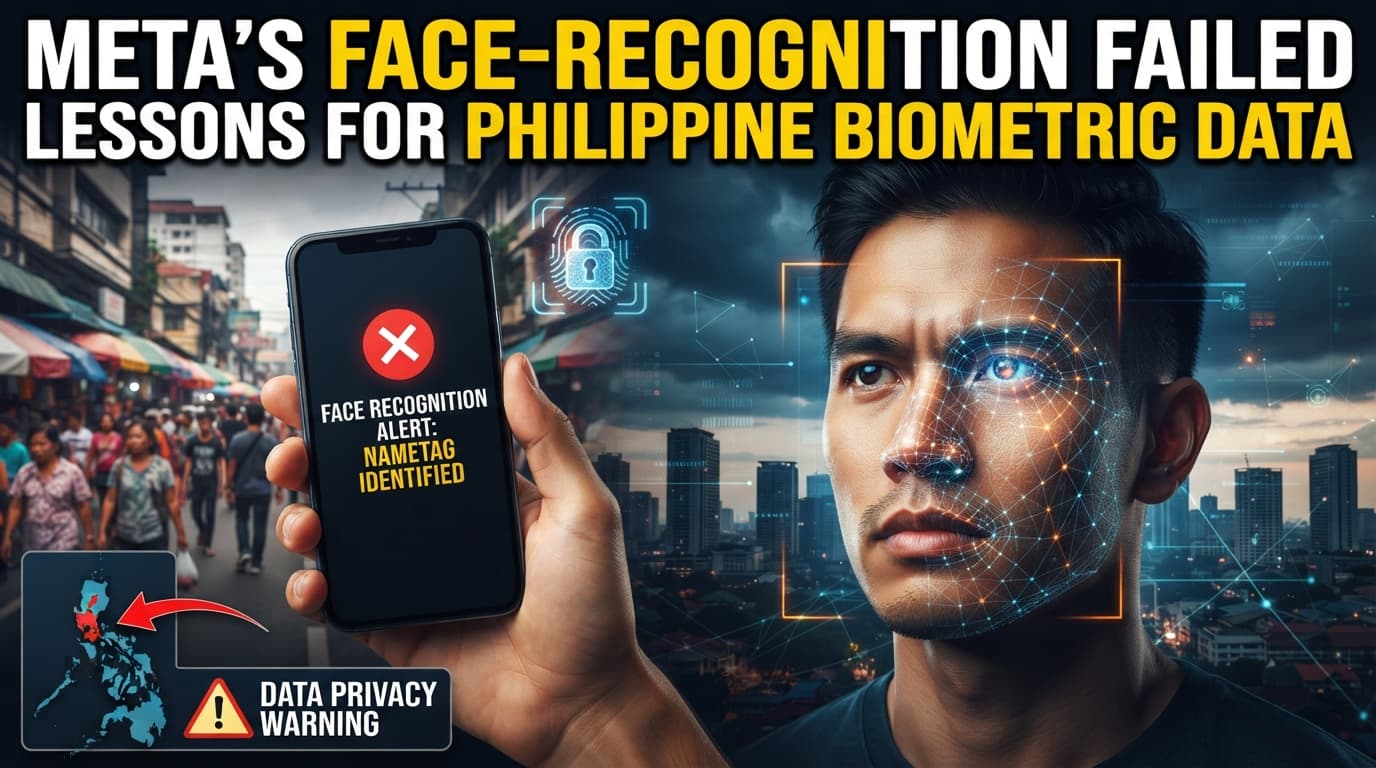
Starting from Meta's smart-glasses face-recognition problem, we organize the practical points for safely handling biometric data such as facial data in the Philippines, in light of the Data Privacy Act and dealings with the NPC.
Meta quietly slipped face-recognition code for its smart glasses onto tens of millions of phones without telling users. This incident may look like a distant American affair, but it actually raises a very close-to-home question for Japanese companies operating in the Philippines: how far is it acceptable to go in collecting data about the "faces" of our employees and customers? In this guide, we use this case as an entry point to organize how to handle biometric data in the Philippines from a practical standpoint.
Part 1: Why This Matters
Step 1: The Philippine Business Context (3 min)
In Philippine offices, systems that record clock-in and clock-out via face or fingerprint are already widely used. Especially in BPO (business process outsourcing, the industry of contracting work out to external providers) workplaces, it is not unusual to manage the entry and exit of hundreds of employees with facial recognition. Convenient as it is, a face is information that cannot be changed once it leaks. That is exactly why mishandling it can severely damage a company's trust.
The Philippines has a Data Privacy Act (the Data Privacy Act of 2012, RA 10173), under which biometric information such as facial data is treated as "sensitive personal information" and protected with particular strictness. The body that enforces this law is the National Privacy Commission (NPC). Its underlying philosophy is similar to Japan's Act on the Protection of Personal Information, but the penalties and notification rules are a different matter entirely. Running operations with the mindset of the Japanese head office can lead to unexpected violations.
What Meta's case demonstrates is the basic point that "what is technically possible" and "what is permissible to do" are two different things. The fact that it distributed face-recognition components without informing users became a problem worldwide. Japanese companies handling facial data in the Philippines need to inspect their own operations from the same perspective.
In a Manila office, a colleague from HR opens up: "I've been thinking of switching our attendance system to facial recognition, but reading this article makes me a little nervous." Showing them your screen, you reply: "Deciding based on convenience alone is risky. How will we obtain employees' consent, where will we store the data, does it comply with NPC rules? Let's check all of that together before we roll it out." Being able to have conversations like this in your own words is the goal of this material.
Step 2: Organizing the Key Points of the Source Article (5 min)
We have compiled the facts conveyed by the source article into a list for easier study.
| Item | Details | Figures / Timing |
|---|---|---|
| Name of the feature | A face-recognition feature Meta internally calls "NameTag." It was later renamed "Connections" | Renamed in the May version |
| Where it was embedded | The Meta AI app that pairs with the smart glasses. Downloads exceed 50 million | Over 50 million |
| Supported devices | Ray-Ban and Oakley smart glasses | — |
| When the code was added | The main components were embedded in the app as early as January 2026 | January 2026 |
| How it works | Three AI models detect a face, crop it, and convert it into feature data | 3 AI models |
| Where the data is stored | Facial feature data is stored within the user's phone, not on Meta's servers | — |
| Behavior | When it matches a registered face, it notifies; everything else is saved to a "pending" folder | — |
| Current status | Not yet activated, and at present nothing is sent to Meta's servers | — |
| Past history | Meta shut down Facebook's facial recognition and deleted more than one billion facial feature templates | 2021 |
| Meta's official explanation | It said it was "carefully considering" facial recognition | As of April 2026 |
This table was created for learning purposes based on facts from publicly available information. For details, please check the original article at the link above.
Related: Emotion-Inferring AI: Where the Line Falls explains this in detail.
Step 3: Comprehension Check (5 min)
Here are some questions to confirm the content of the article. Read on while recalling the answers.
Q1. What does the feature Meta internally called "NameTag" do? Hint: It relates to the person captured by the smart glasses' camera.
Q2. Which app was this face-recognition code embedded in? And approximately how many times has that app been downloaded? Hint: It's the companion app required to use the smart glasses, and the key number is "50 million."
Q3. Where was the facial feature data (faceprint) designed to be stored? Hint: It's a place other than Meta's servers. Recall the device the user has on hand.
Q4. If a face did not match a registered one, how was that face's data designed to be handled? Hint: It isn't deleted right away. The word "pending" is the clue.
Q5. What action did Meta take regarding facial recognition in 2021? Hint: Recall the feature on Facebook and the large volume of data it deleted.
Related: Before You Roll Out Monitoring Tools in the PH explains this in detail.
Part 2: Putting It into Practice
Step 4: Steps for Implementation in the Philippines (10 min)
The situations in which your own company handles facial recognition and biometric data are increasing. We have organized the steps for proceeding safely in the Philippines. The focus is on attendance management and entry/exit control.
| Step | Details | Philippine-specific notes |
|---|---|---|
| 1. Make the purpose clear | Document why you need the facial data | "Because it's convenient" is not enough. The NPC takes issue with collection whose purpose is unclear |
| 2. Obtain consent properly | Get explicit, written consent from employees and customers | Proceeding on verbal agreement alone often leads to "I never heard about this" later. Explaining in both English and Tagalog provides reassurance |
| 3. Decide the storage location and period | Decide where the data goes and for how long | If the cloud storage location is overseas, confirm the handling of cross-border transfers in line with NPC guidelines |
| 4. Build a breach-response procedure | Prepare the flow of contact and reporting for when an incident occurs | Because there is a deadline for notifying the NPC, don't keep it within the company alone — designate a local point of contact in advance |
| 5. Prepare an alternative method | Leave a separate clocking method for those who don't want facial recognition | Being perceived as compulsory breeds distrust. Offer choices such as IC cards or manual time-stamping alongside |
As a budget guideline, facial-recognition terminals commonly cost roughly 15,000 to 40,000 pesos per unit. Beyond the number of units, keep in mind that creating consent-explanation materials and building breach-response procedures also take cost and manpower.
Related: Even Realities G2 Smart Glasses at Work in the Philippines explains this in detail.
Step 5: Common Mistakes and Countermeasures (5 min)
Here are three mistakes that easily occur when handling biometric data in the Philippines.
Mistake Pattern 1: "Collecting facial data without obtaining consent"
Bad example: When introducing a new attendance system, you start registering faces without explaining it to employees. Complaints erupt afterward, escalating into a consultation with the NPC.
Good example: Before registration, you explain in writing what data is being collected and for what purpose. You begin operation only after obtaining a signed consent from each individual employee.
Mistake Pattern 2: "Assuming 'it's safe because it's stored on the device'"
Bad example: Thinking there's no problem because the facial data is kept only inside the device and not sent to a server, you skip protective procedures. When a device is stolen, no one has decided who responds or how.
Good example: Even if the storage location is the device on hand, the fact that it is sensitive personal information does not change. Decide rules for device encryption and taking devices off-site, and share the point of contact for loss with everyone.
Mistake Pattern 3: "Skipping the explanation to local staff"
Bad example: The Japanese head office merely hands down the policy it decided, without conveying the background to local managers. When staff have questions, no one can answer them.
Good example: You hold a briefing to carefully convey the purpose and rules to local managers. You always make time to take questions, and you start operation only after the front line can explain it in their own words.
Part 3: Going Deeper
Step 6: Related Technical Terms (5 min)
Facial recognition is the technology of looking at a face captured by a camera and identifying "who this is." In Philippine factories and BPO workplaces, it is used to automatically record the attendance of hundreds of employees with just a glance at the camera.
Biometrics is information taken from a person's own body, such as face, fingerprint, or voice. Because, unlike a password, it cannot be changed, the Philippine Data Privacy Act treats it as information to be protected with particular strictness, and its collection requires the individual's explicit consent.
A faceprint (facial feature data) is data that converts the shape of a face, the distance between the eyes, and so on into a sequence of numbers. In this Meta case, the design created and stored this data inside the user's smartphone, and when a Philippine company introduces facial recognition, where to store this feature data is the first point to consider.
On-device processing is the approach of completing computation only within the device on hand, without sending data off to some distant server. In the Philippines, where some areas have unstable connectivity, the advantage is that it works even without an internet connection — but you need to separately decide how to protect it when a device is stolen.
Sensitive personal information is information that, like facial data or health status, has a particularly large impact on the individual if it leaks. The Philippine National Privacy Commission (NPC) demands stricter management from companies handling this kind of information, and Japanese companies based in Manila need to inspect themselves by the same standard.
Step 7: Considering How to Apply This to Your Company (10 min)
We have prepared three themes for your team to discuss.
Inventory the biometric data your company handles
What kinds of biometric data are you collecting right now? Facial recognition for attendance, fingerprints for entry and exit, voice recordings at the call centre — most companies are collecting more of it than they realise.
Thinking hint: The situations you "don't intend to be collecting in" are the easiest to overlook. Try taking inventory all the way down to contractors and already-installed devices.
Next action: Compile a single per-department table listing the biometric data your company handles.
Decide the boundary between "convenience" and "the feeling of being watched"
Facial recognition is convenient, but from the employees' viewpoint it can also be a source of feeling "constantly watched." Consider your own company's line — how far is acceptable, and from where does it go too far.
Thinking hint: When front-line staff find it hard to speak their true feelings, one method is to gather anxieties through an anonymous survey.
Next action: Set up a single occasion to hear front-line staff's honest opinions about how facial recognition would be used.
Compare options, including not using facial recognition
Don't assume facial recognition from the start; compare it with other methods such as IC cards or PINs. If you can meet the purpose, deliberately choosing not to collect biometric data is also a respectable decision.
Thinking hint: Data you collect carries a lasting responsibility to protect it. Factor in the effort and cost you can reduce by "not collecting" it.
Next action: Create a simple comparison table weighing facial recognition against alternative methods on both cost and the effort of protection.
Part 4: FAQ
Q1. When introducing employee facial recognition in the Philippines, what should be checked first?
First, confirm whether explicit consent has been obtained from the individuals. The Philippine Data Privacy Act requires clear consent for the collection of sensitive personal information such as facial data. In Japan, a description in the work rules is sometimes sufficient, but in the Philippines it is safer to obtain individual written consent.
Q2. Can legal problems be avoided by storing facial data only inside the device?
Even if the storage location is the device on hand, the fact that facial data is sensitive personal information does not change. In this Meta case, too, the design placed the data inside the smartphone, yet it still raised concerns worldwide. Regardless of where it is stored, consider that obtaining consent and preparing for breaches are necessary.
Q3. Is it acceptable to apply the Japanese head office's rules to the Philippine site as-is?
Even if the underlying philosophy is shared, the detailed rules differ by country. The Philippines has its own Data Privacy Act and a supervisory body, the NPC, and the flow of breach notification differs from Japan's. We recommend preparing a version that uses the head office policy as a foundation but is adjusted to fit local law.
Q4. If we want to record customers' faces in our store, are there points to watch out for?
More caution is needed than with employees. It is hard to obtain consent from customers, and opportunities to explain are limited. Notify them via signage that recording is taking place, and make clear what it will be used for and when it will be deleted. Facial analysis for marketing purposes easily invites backlash, so narrowing the purpose is important.
Q5. If a breach occurs, how should we act?
Don't shoulder it within the company alone; act according to predetermined procedures. In the Philippines, breaches meeting certain conditions may require notification to the NPC. Deciding in advance who reports what and when, and clarifying the local point of contact, will keep you from panicking when the time comes.
Tips for Making Use of This (3 Tips)
First, create a single "facial data map" of your company. Compiling a table of where, whose, and what biometric data you collect reveals collection situations you had overlooked. The targets you must protect become clear, making it easier to plan your next move.
Make consent "written, bilingual, and individual" by default. Verbal agreement alone leads to discrepancies later. Explaining the purpose in both English and Tagalog and obtaining a signature from each individual raises both front-line buy-in and legal compliance at the same time.
Put the option of "not collecting" on the table every time. Don't proceed assuming facial recognition; compare it with other methods such as IC cards. Because collected data carries a lasting responsibility to protect it, the decision to deliberately not collect can end up reducing cost and effort.
Bonus: How to Make Use of PH AI Works
PH AI Works is a solutions company that supports the use of AI and technology in the Philippines. Topics like biometric data and facial recognition involve both an understanding of the technology and local law, so organizing them together with experts lets you proceed with peace of mind.
As a next step, you can consult us on things like the following:
- Taking inventory of the biometric data your company handles in the Philippines and organizing the risks
- The approach to obtaining consent and building operational rules when introducing mechanisms such as facial recognition
About the author
Founder / AI Engineer (36+ years in IT)
- ●From Tokyo · based in Manila for 13+ years
- ●36+ years in IT (development, SEO, AI)
- ●IBM Certified Generative AI Engineer
- ●AI chatbots, RAG & AI agent development
A Japanese AI engineer with 36+ years in IT and 13+ years on the ground in the Philippines. I write from hands-on experience to help Japanese companies adopt AI that actually delivers results — chatbots, workflow automation, AI agents, and AI-driven marketing. Feel free to reach out in Japanese or English.
Free AI Consultation
Tell us your challenges and we'll propose the right AI adoption plan for your business.
Book a Free 30-Minute ConsultationRelated Articles
AI Model Vendors Now Sell Implementation Too
OpenAI and Anthropic now sell implementation as well as models. What a local subsidiary should decide about that.
8/18/2026
Contracting for AI While Prices Keep Falling
Write a model number into the contract and it is obsolete in six months. How to design for switching instead.
8/17/2026
Meta Cut 750,000 Under-16 Accounts in Australia
AI-assessed age checks removed 750,000 accounts overnight. What that says about depending on platforms for reach.
8/16/2026
When an AI Calls Your Shop to Ask About Stock
AI now phones shops on a buyer's behalf to check stock. What to decide on the receiving side before it reaches you.
8/15/2026

Handling News That Is Not Settled Yet
A reported $6 billion acquisition talk is not a completed deal. How to act on industry news before it is confirmed.
8/14/2026

What a 69-Page AI Report Does Not Show
Frontier firms are reported 8.3x ahead, yet a table on page 35 shows no statistically significant link to revenue.
8/13/2026