
Kali365: Phishing That Bypasses MFA on Microsoft 365
The FBI-flagged Kali365 kit hijacks Microsoft 365 accounts past multi-factor authentication. How to defend an operation against it.


AI Engineer · 36+ years in IT · Japanese, based in Manila for 13+ years
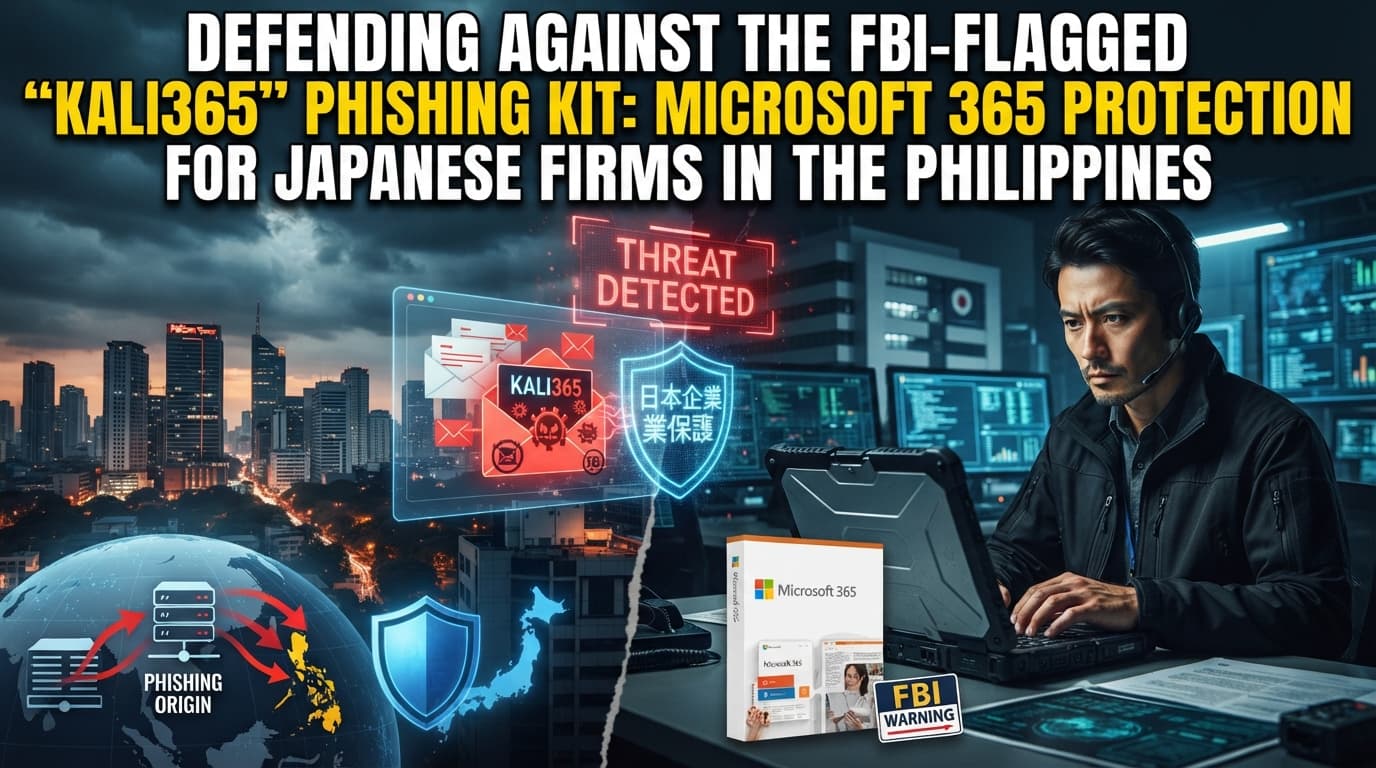
A clear explanation of how the new "Kali365" phishing attack hijacks Microsoft 365 without stealing passwords, and the security measures Japanese companies in the Philippines should take right now.
Part 1: Why This Matters
Step 1: The Philippine Business Context (3 min)
Many Japanese companies that expand into the Philippines use Microsoft 365 (the cloud service that bundles Outlook, Teams, OneDrive, and more). Communication with the Japanese head office, contact with local staff, document sharing — the core of daily operations is concentrated in this service.
That is exactly why the new phishing attack the FBI (the U.S. Federal Bureau of Investigation) has just warned about is not someone else's problem for Japanese people working in the Philippines. This attack has a feature unlike anything before it: it can hijack an account without stealing a password.
The Philippines is a country with a thriving BPO industry (the business of handling outsourced work such as call centers and back-office processing). Because many employees work from home and often access company accounts from personal devices, it is an environment that makes them easy targets for this kind of attack.
In your Manila office, you are showing this article to a colleague on the IT team. "Hey, take a look at this. It says an account can be hijacked even without your password being stolen. Our team uses Teams and Outlook every day too, so I think we should send out a warning — what do you think?"
Step 2: Organizing the Key Points of the Source Article (5 min)
Based on the facts in the source article, here are the main points in a table.
| Item | Details |
|---|---|
| Agency that issued the warning | FBI (U.S. Federal Bureau of Investigation) |
| Targeted service | Microsoft 365 (Outlook, Teams, OneDrive, etc.) |
| Name of the attack kit | Kali365 |
| Key feature | Steals an authentication token to break into the account, rather than stealing the password |
| Defense it bypasses | Multi-factor authentication (a mechanism that verifies identity through multiple methods) |
| Mechanism exploited | OAuth device code (a mechanism that authorizes app use without a password) |
| First observed | April 2026 |
| Sales channel and price | Sold via Telegram starting at $250 per month, or $2,000 per year |
| Scale of damage | Hundreds of attacks reported in April 2026 alone |
| Entry point of the attack | Emails disguised as trusted services that trick users into entering a device code |
This table was compiled from publicly available facts for learning purposes. For details, please check the original article at the link above.
Related: FortiBleed: Firewall Security for Philippine Operations explains this in detail.
Step 3: Comprehension Check (5 min)
Q1: What is the big difference between a Kali365 attack and previous phishing attacks? (Hint: Pay attention to the fact that what is stolen is not the "password.")
Q2: How does Kali365 bypass the identity-verification mechanism? (Hint: Recall the terms multi-factor authentication and OAuth device code.)
Q3: Where, and for how much, is this attack kit being sold? (Hint: The article gives the sales venue and the monthly and annual prices.)
Q4: Does a perpetrator launching the attack need a high level of technical skill? (Hint: The FBI described it as "lowering the barrier to entry.")
Q5: How does a victim first get caught up in the attack? (Hint: It begins with a certain message disguised as a trusted service.)
Related: Megalodon: GitHub Supply-Chain Attacks on Dev Sites explains this in detail.
Part 2: Putting It Into Practice
Step 4: Implementation Steps in the Philippines (10 min)
Here is a step-by-step approach to protecting your company and team from this attack. Let's also review the points that are particular to the Philippines.
| Step | Details | Points to watch in the Philippines |
|---|---|---|
| 1. Understand the current state | Make a list of who uses Microsoft 365 on which device | With remote work common and some employees using personal devices, first confirm the actual situation |
| 2. Review settings | Change settings so that connections from unknown apps are not authorized | Discuss setting changes with the head office IT department; do not decide locally on your own |
| 3. Explain to employees | Show concrete examples of how to spot fake emails | Prepare materials in both English and Japanese so they reach local staff |
| 4. Run drills | Send practice emails that mimic fake emails and check how people respond | Some training tools are available from a few hundred pesos per month; choose one suited to your scale |
| 5. Decide on incident preparedness | Decide in advance the contacts and procedures for the worst case of being hijacked | A leak of personal data may require reporting to the NPC (the government agency that protects personal data) |
Step 5: Common Mistakes and How to Avoid Them (5 min)
Mistake 1: "Assuming you're safe because you've enabled multi-factor authentication"
This is the mistake of thinking everything is fine simply because you've deployed multi-factor authentication. Because this attack slips past that very multi-factor authentication, complacency can be fatal.
Bad example: "We use multi-factor authentication, so we don't have to worry about phishing."
Good example: "Multi-factor authentication is important, but there are still methods that break through it. That's why we keep reminding employees to stay alert."
Mistake 2: "Settling for an alert in Japanese only"
This is the mistake of simply passing a Japanese-language alert from the head office on to the local site and calling it done. The content doesn't reach local staff, and the countermeasures never take hold.
Bad example: "I just forwarded the Japanese email from head office to the whole team as is."
Good example: "I translated the head office content into English too and explained it while showing screenshots of actual fake emails."
Mistake 3: "Only starting to think about a response after an incident occurs"
This is the mistake of only beginning to look for contacts and procedures after an account has already been hijacked. The response is delayed, and the damage spreads.
Bad example: "If something happens, we can just ask the head office at that point, and it'll be fine."
Good example: "We've put together a single one-page procedure ahead of time covering who to contact and what to shut down the moment we notice a hijack."
Related: GitLost: Running AI Agents Without Leaking Repos explains this in detail.
Part 3: Going Deeper
Step 6: Related Technical Terms (5 min)
Phishing (an attack that deceives people through fake emails and the like) is a method of tricking someone into handing over information or access rights using emails or sites that look just like the real thing. In Philippine offices, fake emails impersonating banks and delivery companies are common, so it's important to instill in employees the habit of "not clicking links right away."
Multi-factor authentication (MFA, a mechanism that verifies identity through multiple methods) confirms whether someone really is who they claim to be using two or more methods — for example, a password plus a notification or verification code sent to a smartphone. At Philippine companies where the share of locally hired staff keeps growing, it's reassuring to make sure this setting is in place at the time of onboarding.
An OAuth device code (a numeric passphrase that authorizes app use without a password) is a mechanism that lets you use an app on devices like TVs where a password is hard to type. Because this attack abuses exactly this point, tell your Philippine-based staff to "never enter a code you don't recognize."
An authentication token (an electronic pass that proves you are logged in) is an electronic tag that lets someone who has logged in once keep using the service without re-entering their password. If it is stolen, the account is hijacked, so even at Philippine sites, set up a system that lets you immediately revoke any suspicious connection you find.
A cybercrime-as-a-service attack kit (a business that rents out attack tools for a monthly fee) is a scheme that lets even people without technical skill launch an attack simply by paying money. Kali365 is also sold this way on a monthly or annual basis, so small and medium-sized companies in the Philippines, too, must not assume "we won't be targeted" and should put basic defenses in place.
Step 7: Thinking About How to Apply This to Your Own Company (10 min)
Confirm how well your own Microsoft 365 is protected
Do you have a clear grasp of who at your company can access which apps?
Something to think about: Check whether any external app you don't recall authorizing is connected to your accounts.
Next action: Ask your head office IT department to pull a list, just once, of the external apps connected to your local site's accounts.
Think about a form of alert that actually reaches local staff
With Japanese-language materials alone, is the message really getting through to your staff in the Philippines?
Something to think about: Beyond the language barrier, consider what kinds of examples local people can picture most easily.
Next action: Prepare one screenshot of a fake email that could realistically arrive, attach a short English explanation, and share it.
Decide on the initial response if an account is hijacked
If an account were hijacked tomorrow, could you immediately say who does what first?
Something to think about: Try whether you can fit the order of contact and the things to shut down onto a single sheet of paper.
Next action: Create a one-page response procedure listing the contacts and the first steps, and place it somewhere the whole team can see it immediately.
Part 4: FAQ
Q1: Can I prevent this attack by keeping my password complex? A: Unfortunately, a complex password alone won't prevent it. This attack doesn't target the password itself; it steals the authentication token that serves as your post-login pass. Even at Philippine sites, telling employees "don't enter a code you don't recognize" is a more effective defense.
Q2: If I've enabled multi-factor authentication, are my countermeasures already sufficient? A: Multi-factor authentication is very important, but this method slips past it. In Japan, people tend to feel safe once they've enabled multi-factor authentication, but because remote work and the use of personal devices are common in the Philippines, you cannot do without continuing to remind employees, on top of the settings themselves.
Q3: If an account is hijacked, is any reporting required in the Philippines? A: If a leak of personal data occurs, reporting to the NPC (the government agency that protects personal data) may be required. Don't settle for the Japanese habit of merely reporting to the head office; it's important to respond in line with local rules. Decide in advance who makes this judgment.
Q4: Would even a small local subsidiary be targeted? A: Yes — companies are targeted regardless of size. This attack kit is sold cheaply on a monthly basis, so even an unskilled perpetrator can use it. It is precisely small and medium-sized sites in the Philippines that should start with the basic defenses you can put in place without spending money.
Q5: How should we go about educating local staff? A: Rather than just explaining verbally, showing a screenshot of a fake email that could realistically arrive gets the message across better. In the Philippines, there are situations where things tend to proceed on verbal agreement alone, but it's reassuring to put the key points in an English-language document that can be revisited at any time.
Tips for Making the Most of This (3 Tips)
-
First, make "don't enter a code you don't recognize" your team's watchword. This attack succeeds at the very moment a user enters the code themselves. Just sharing this single phrase across the team can substantially reduce the damage.
-
Always deliver your alert together with an actual screenshot of a fake email. Showing a screen that looks just like the real thing sticks in local staff's memory better than a text-only explanation. Pairing it with a training tool available from a few hundred pesos per month makes it even more effective.
-
Put the initial response after a hijack onto a single sheet of paper. Searching for the procedure after an incident occurs delays the response and lets the damage spread. Write the contacts and the first things to do on one sheet, and decide in advance who is responsible for judging whether a report to the NPC is required.
Bonus: How to Make Use of PH AI Works
PH AI Works supports Japanese companies doing business in the Philippines with improving operations and strengthening security using AI and technology. We help build systems you can start without strain, tailored to local circumstances.
As a next step, you can consult us on things like the following:
- When you want to review your Microsoft 365 settings and confirm that no dangerous connections remain
- When you want to prepare alert materials and training for local staff that work in both English and Japanese
- When you want to create a response procedure for a hijacked account that aligns with Philippine rules
Please feel free to get in touch. The initial consultation is free.
References and Sources
About the author
Founder / AI Engineer (36+ years in IT)
- ●From Tokyo · based in Manila for 13+ years
- ●36+ years in IT (development, SEO, AI)
- ●IBM Certified Generative AI Engineer
- ●AI chatbots, RAG & AI agent development
A Japanese AI engineer with 36+ years in IT and 13+ years on the ground in the Philippines. I write from hands-on experience to help Japanese companies adopt AI that actually delivers results — chatbots, workflow automation, AI agents, and AI-driven marketing. Feel free to reach out in Japanese or English.
Free AI Consultation
Tell us your challenges and we'll propose the right AI adoption plan for your business.
Book a Free 30-Minute ConsultationRelated Articles
AI Model Vendors Now Sell Implementation Too
OpenAI and Anthropic now sell implementation as well as models. What a local subsidiary should decide about that.
8/18/2026
Contracting for AI While Prices Keep Falling
Write a model number into the contract and it is obsolete in six months. How to design for switching instead.
8/17/2026
Meta Cut 750,000 Under-16 Accounts in Australia
AI-assessed age checks removed 750,000 accounts overnight. What that says about depending on platforms for reach.
8/16/2026

When an AI Calls Your Shop to Ask About Stock
AI now phones shops on a buyer's behalf to check stock. What to decide on the receiving side before it reaches you.
8/15/2026

Handling News That Is Not Settled Yet
A reported $6 billion acquisition talk is not a completed deal. How to act on industry news before it is confirmed.
8/14/2026

What a 69-Page AI Report Does Not Show
Frontier firms are reported 8.3x ahead, yet a table on page 35 shows no statistically significant link to revenue.
8/13/2026