
Docker and Kubernetes: Preventing Downtime in the PH
How Docker and Kubernetes keep online systems stable for Philippine SMEs, reduce downtime, and support steady business growth.


AI Engineer · 36+ years in IT · Japanese, based in Manila for 13+ years
Summary
- A single failed server can take an entire business offline, while running the same application across several servers removes that single point of failure.
- Docker packages an application so it behaves the same in every environment, and Kubernetes restarts failed parts on its own, so services stay available even when something breaks.
- Phased adoption with proper monitoring and regular progress reviews delivers a stable system without a large, risky rebuild.
Four Ways System Downtime Hurts Philippine Businesses
| Impact area | What happens during downtime |
|---|---|
| Lost sales | Online orders and payments cannot be completed |
| Customer trust | Repeated outages push customers to competitors |
| Staff productivity | Teams sit idle while systems are unreachable |
| Hard recovery | A crashed single server is slow and stressful to restore |
For a growing Philippine business, an online system that stops working is not a small technical problem. It is a business problem. When an e-commerce store, a booking platform, or an internal ordering system goes down, the most immediate loss is revenue, because customers simply cannot buy or transact during the outage.
 System downtime stops sales and leaves teams unable to work.
The damage does not end when the system comes back. Filipino consumers have many choices, and a store that is often unreachable quickly loses customer trust. People who meet an error page during a payday sale rarely return for a second try.
There is also a hidden cost inside the company. When a shared system is down, sales staff, support agents, and warehouse teams often cannot do their work, so paid working hours are wasted. Finally, when everything runs on one machine and that machine fails, recovery is slow and manual, and the pressure on a small IT team is intense.
Related: Cloud AI Infrastructure for Philippine SMEs explains this in detail.
Why Traditional Single-Server Setups Fall Short
| Limitation | Why it causes problems |
|---|---|
| "Works on my machine" | Code behaves differently on the developer's laptop and the live server |
| Single point of failure | One server crash takes the whole business offline |
| Manual recovery | Restarting and reconfiguring by hand is slow and error-prone |
| Hard to scale | Sudden traffic, such as a payday sale, overloads one server |
Many small and medium businesses in the Philippines still run their main application on a single server, often set up by hand. This works at first, but it hides several weaknesses that only appear at the worst moment.
The first is the classic "works on my machine" trap. Software may run perfectly on a developer's laptop, then fail on the live server because the two environments are not exactly the same. The second weakness is the single point of failure: if that one server crashes, loses power, or runs out of memory, there is no backup ready to take over, and the business is fully offline.
Manual recovery makes this worse. Bringing a server back often means a person logging in, restarting services, and checking settings step by step, which takes time the business does not have during an outage. Lastly, a single setup struggles to scale. When traffic suddenly rises, one server cannot stretch to meet the demand, and the site slows down or stops just when customers are most active.
Five Ways Docker and Kubernetes Keep Systems Running
| Capability | Plain-language benefit |
|---|---|
| Containers (Docker) | The app runs the same way everywhere, ending environment surprises |
| Self-healing (Kubernetes) | Failed parts are detected and restarted automatically |
| Auto-scaling | More copies start up when traffic rises, then shut down when it falls |
| Rolling updates | New versions go live with little or no downtime |
| Multi-server redundancy | Work spreads across machines, so one failure does not stop the service |
Docker is a tool that packages an application together with everything it needs to run, such as code, settings, and libraries, into a single unit called a container. Because the container carries its own environment, it runs the same way on a laptop, a test server, and the live system. This ends the "works on my machine" problem.
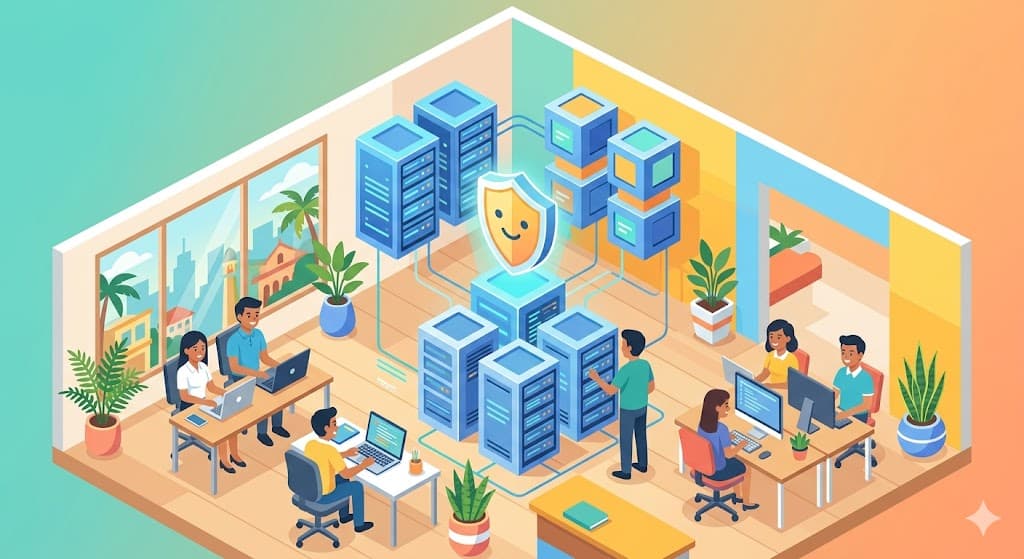
 Docker and Kubernetes spread workloads across servers and restart failed parts automatically.
Kubernetes is a system that manages many containers for you. This management of containers is often called orchestration. Its most valuable feature for stability is self-healing: Kubernetes constantly checks whether each container is healthy, and when one fails, it starts a fresh copy automatically, usually faster than a human could react.
Kubernetes also handles auto-scaling. When traffic to your store rises, it starts more copies of your application to share the load, then reduces them when things calm down, so you pay for capacity only when you need it. For updates, it uses rolling updates, replacing old versions with new ones gradually so customers keep using the service without a visible interruption. Finally, because containers can run across multiple servers at once, the failure of one machine does not take the whole business offline. AI technology is well-suited to this model too, since AI features can be packaged as containers and scaled in the same reliable way.
Related: AI and Cloud for Next-Generation Websites explains this in detail.
Five Steps to Adopt Docker and Kubernetes
| Step | Focus |
|---|---|
| 1. Assess | Map your current system and its weakest points |
| 2. Containerize | Package one application with Docker first |
| 3. Set up a cluster | Use a managed Kubernetes service to avoid heavy admin work |
| 4. Add monitoring | Configure health checks, alerts, and logging |
| 5. Roll out in phases | Move workloads gradually and review progress regularly |
The goal is steady, low-risk adoption, not a sudden full rebuild. The first step is to assess your current system honestly: list what runs where, and identify the parts that fail most often or carry the most business risk.
 Phased adoption with regular reviews keeps the move to containers low-risk.
Next, containerize one application with Docker rather than everything at once. Choosing a single, well-understood service first lets your team learn the tools with limited risk. After that, set up a Kubernetes cluster. Most Philippine SMEs should choose a managed Kubernetes service from a cloud provider, which handles much of the difficult administration so a small team can focus on the application.
The fourth step is monitoring. Without health checks, alerts, and clear logs, you cannot see problems early or prove that stability has improved, so this step is not optional. The final step is a phased rollout.
Kubernetes rewards the same restraint: move one workload at a time, review the result before starting the next, and write down what changed and why. A cluster that grew faster than its documentation is difficult to hand to anyone.
Related: AI Infrastructure for Philippine Business Growth explains this in detail.
Four Business Results You Can Expect
| Result | What it means for the business |
|---|---|
| Higher availability | The system stays online through common failures |
| Faster recovery | Self-healing restores services in seconds, not hours |
| Better resource use | Servers are used efficiently, controlling monthly cost |
| Safer, faster releases | New features ship more often with less risk |
The clearest result is higher availability. Because work runs across several containers and servers, common failures no longer cause a full outage, and customers keep transacting. When something does fail, automatic recovery brings the affected part back quickly, which protects both revenue and customer confidence.
There is also a cost angle. Auto-scaling and efficient container packing mean you are not paying for large servers that sit mostly idle. Managed cloud services in the Philippines are usually billed on a pay-as-you-go basis in pesos, so capacity rises and falls with real demand, and significant savings on wasted capacity can be expected over time. On the development side, rolling updates let teams release improvements more often and with less fear, since a bad update can be rolled back without taking the business down. The return on investment comes less from one big number and more from steadier income, calmer operations, and faster product improvement.
FAQ
Q: Is Kubernetes too much for a small Philippine business?
A: Not necessarily. A very small site with little traffic may be fine on simpler hosting. Kubernetes becomes worth it once downtime directly costs you sales or when traffic is uneven, such as during payday or holiday spikes. Starting with Docker alone and one managed cluster keeps the early step small.
Q: Do I need a large IT team to run this?
A: No. Using a managed Kubernetes service from a cloud provider removes much of the heavy administration. A small, well-trained team, or a trusted local development partner, can run a modest setup. The key is good monitoring and clear documentation.
Q: How much does it cost in pesos?
A: Costs are usage-based rather than fixed, so they scale with your traffic and the resources you use each month. Because you avoid paying for large idle servers, many SMEs find the monthly cost predictable. It is best to start small and review actual usage before expanding.
Q: Does this help with security and local compliance?
A: Containers make it easier to apply updates consistently and to isolate parts of your system, which supports good security practice. For regulated data, such as payment information under BSP-related rules, you still need proper access controls and a provider that meets local requirements. The technology supports compliance but does not replace it.
Q: Can we move gradually instead of all at once?
A: Yes, and a phased move is recommended. You can containerize one application, run it on Kubernetes, confirm it is stable, then bring in more workloads. This lowers risk and lets your team build skill along the way.
Building a More Stable Foundation
System stability is not a luxury for Philippine businesses; it is the base that protects sales, customer trust, and your team's time. Docker gives you applications that behave the same everywhere, and Kubernetes keeps them running by recovering from failures and scaling with demand, all introduced step by step rather than in one risky change.
If you are weighing whether containers and orchestration fit your systems, the practical next move is a short assessment of where your current setup is most likely to fail. PH AI Works can help you map those risks and plan a phased adoption suited to your business and budget.
Sources & References
- Kubernetes Documentation — Official documentation explaining how Kubernetes automates deployment, scaling, self-healing, and management of containerized applications.
- Cloud Native Computing Foundation (CNCF) — The foundation that hosts Kubernetes, with project background, adoption data, and case studies.
- Docker Documentation — Official guides on building and running applications inside containers for consistent environments.
- Department of Information and Communications Technology (DICT) — The Philippine government agency leading national digital transformation, infrastructure, and cybersecurity policy.
- Digital Transformation in the Philippines (SmartOSC) — Overview of cloud adoption, automation, and modernization trends among Filipino enterprises and SMEs.
About the author
Founder / AI Engineer (36+ years in IT)
- ●From Tokyo · based in Manila for 13+ years
- ●36+ years in IT (development, SEO, AI)
- ●Google Certified AI Professional
- ●IBM Certified Generative AI Engineer
- ●AI chatbots, RAG & AI agent development
A Japanese AI engineer with 36+ years in IT and 13+ years on the ground in the Philippines. I write from hands-on experience to help Japanese companies adopt AI that actually delivers results — chatbots, workflow automation, AI agents, and AI-driven marketing. Feel free to reach out in Japanese or English.
Your Competitors Are Already Using AI!
Is your business keeping up?
Related Articles

What a Philippine Company Website Needs Now
Most company sites are built for a desktop visitor who no longer matters. The specs that serve phones and AI search.
8/14/2026
Adding AI to Existing Systems: A Retrofit Flow
Most Philippine companies cannot rebuild before adopting AI. How a retrofit works — find the seam, build beside it, cut over.
8/12/2026

AI and Customer Experience: The Whole Journey
Adding one AI feature rarely fixes CX. How to design AI across the journey rather than bolting it onto one step.
7/27/2026

Building AI Web Apps: The Design Choices That Matter Most
AI web app projects in the Philippines usually fail on design, not on the AI. Human checkpoints, loading feedback, and more.
7/25/2026

Core Web Vitals for Philippine Online Stores
Core Web Vitals measure how fast and stable a site feels. How Philippine stores pass Google's thresholds and rank better.
7/9/2026

Adding AI to Legacy Systems in the Philippines
How Philippine businesses connect modern AI to legacy systems — integration practice, rollout steps, and what breaks.
6/5/2026